
Get NaboTV
Everything you watch, in one place. Install on your TV, phone, or tablet.
Recommended

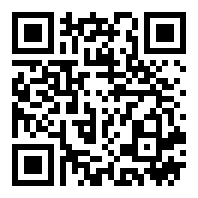
App stores
Android TV, Google TV, Fire TV, phones, and tablets. Installs and updates automatically. Requires Android 7.0 or newer (Fire OS 6+).
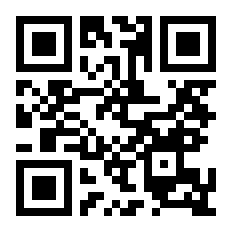
Sideload the APK
For any Android TV device without a store, or where you'd rather install directly. Requires Android 7.0 or newer.
- On the device, allow installs from unknown sources for your file manager or the Downloader app.
- Open get.nabo.tv (or nabo.tv/apk) and download the file.
- Open the downloaded nabotv.apk and confirm the install.
No public beta right now
We’re not currently running a public beta. The Release tab has the current build, and it’s the one to install.
Trouble installing? "There was a problem parsing the package" usually means the download was
interrupted or the device is on Android 6 or older. Try downloading on a computer and copying the file
to a USB drive, and make sure the device is up to date (Settings → About → System update).
Still stuck? Email [email protected].